How to Verify Forex EA Track Record Claims Before You Risk Live Capital
· 7 min read · LunqFX Team
Most Expert Advisor sales pages rely on the same three pieces of "proof": a cropped equity screenshot, a 99%-modelling-quality backtest, and a green "Myfxbook verified" badge at the bottom of the page. None of those, on their own, prove the robot actually works on live money.
Learning how to verify forex EA track record data properly takes ten minutes and saves you from paying twice — once for the software, and again when it blows a live account. This guide explains what Myfxbook's two verification badges actually guarantee, walks through a six-step audit sequence, and shows how to read a raw public trade log.
Why Screenshots, Backtests, and Demo Accounts Prove Nothing
Screenshots and HTML statements: Any MetaTrader account history export is plain HTML, and browser screenshots take ten seconds to edit in DevTools. A cropped profit chart with no account number, broker name, or open-trades tab proves nothing.
Backtests: Even an honest run in MT5 Strategy Tester only shows how a parameter set fit historical ticks. Vendors routinely optimise parameters over a 24-month window until the curve looks smooth, then sell the overfitted result as expected future performance.
Demo and unregulated "house" accounts: Demo servers have no real liquidity, zero partial fills, and artificially tight spreads. Worse, some vendors open live accounts at obscure, unregulated brokers that can backdate or edit server-side trade logs — producing fake EA results that pass automated third-party checks.
What Myfxbook Verification Badges Actually Mean
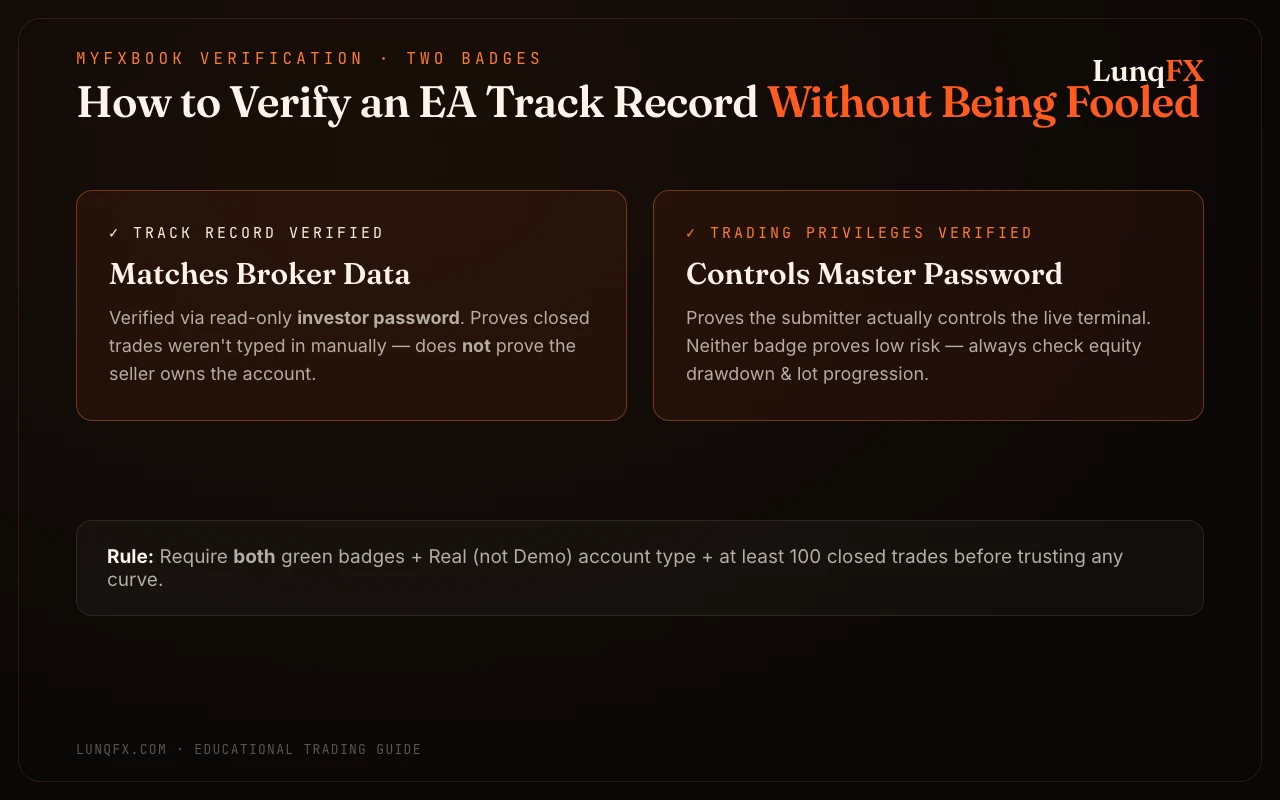
Seeing a Myfxbook verified banner is where most buyers stop checking. That is a mistake, because Myfxbook uses two separate badges with very different meanings:
- Track Record Verified: Myfxbook connects directly to the broker's server (via read-only investor password or API) and confirms that the displayed trade history matches the broker's database. It proves the trades were not manually typed into a spreadsheet.
- Trading Privileges Verified: The account owner proved they control the master password (either by placing a tiny verification order or temporarily changing the investor password). This prevents someone from scraping another trader's public investor password and claiming the account as their own.
What neither badge proves: Neither tick verifies that the broker is regulated, that the account is a standard USD account rather than a cent account (where \$100 looks like \$10,000), that mid-drawdown deposits are not masking losses, or that the EA isn't using hidden grid recovery. Verification proves data integrity from that server, not strategy safety.
The Verification Sequence: How to Verify Forex EA Track Record Data
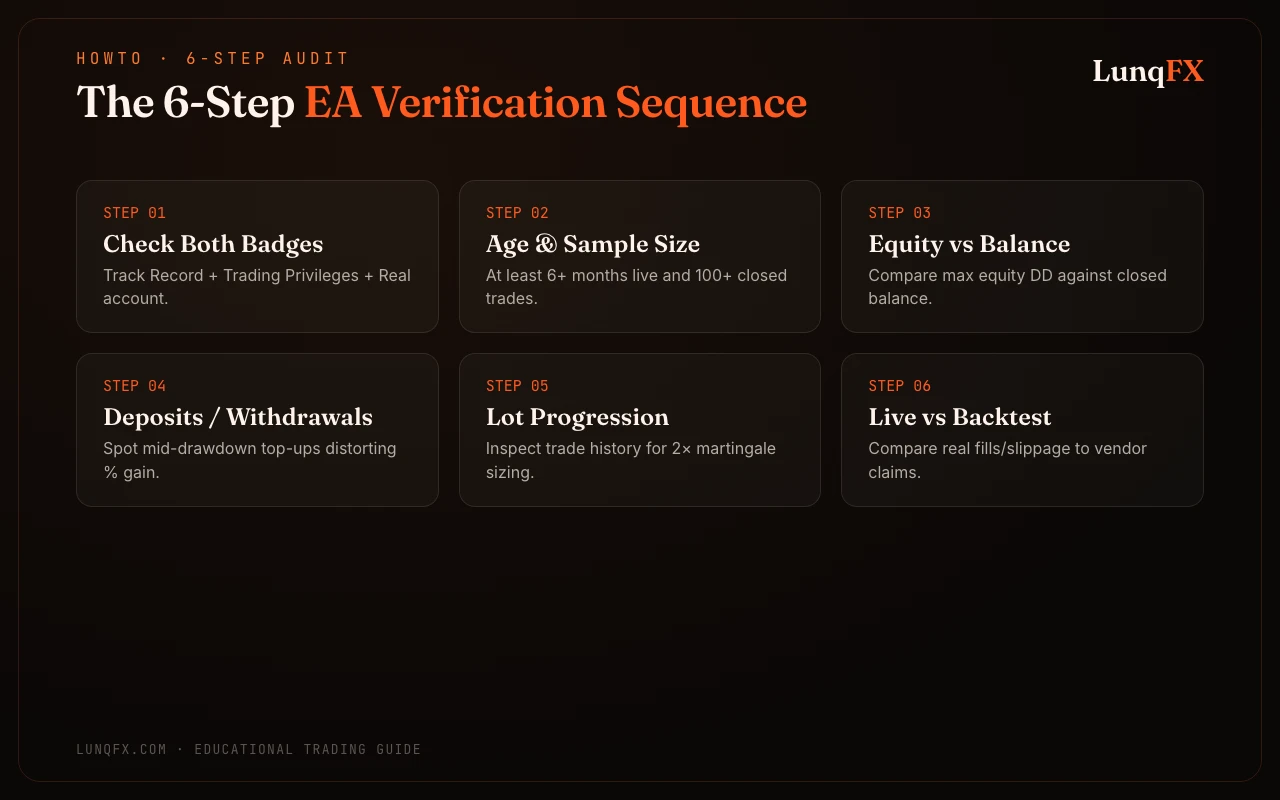
Follow this six-step audit in order whenever you evaluate an EA. If a vendor fails Step 1 or hides the tabs needed for Steps 3–5, stop the audit there.
Step 1 — Check both verification badges and the broker
Confirm that both "Track Record Verified" and "Trading Privileges Verified" are green, and check the account type label (Real vs Demo). Then look at the broker name. A verified Real account at an FCA-, ASIC-, or CySEC-regulated broker carries real weight; a verified account at an unknown offshore entity created six months ago does not.
Step 2 — Check account age and trade count
Require at least 100 closed trades and ideally 6–12 months of live history. As explained in our guide to trading journal metrics, anything under 30 trades is statistical noise, and a 60-day track record may simply have caught one favourable volatility regime.
Step 3 — Compare equity drawdown against balance drawdown
Open the main chart and toggle Equity on alongside Balance. If closed balance drawdown is 2% while maximum equity drawdown is 38%, the EA is holding massive floating losses and waiting for price to come back. Healthy fixed-stop systems show equity and balance tracking closely together.
Step 4 — Audit deposits and withdrawals
Check the "Deposits" and "Withdrawals" lines in the summary panel, then inspect the Gain vs Absolute Gain figures. A classic trick to hide a 40% drawdown is depositing fresh cash mid-losers: the new capital instantly shrinks the percentage drawdown without closing a single losing trade, and distorts time-weighted Gain %.
Step 5 — Inspect lot progression and stop losses
Click into the Trading Activity → History tab. Scan 30–50 consecutive trades for two things: whether every trade has a genuine Stop Loss price set, and whether lot sizes escalate after losses (0.01 → 0.02 → 0.04 → 0.08). Escalating lots or blank SL fields mean you are looking at a martingale or grid EA regardless of what the sales page claims.
Step 6 — Compare live fills to the vendor's backtest and claims
Check average win and average loss in pips, typical holding time, and the pairs traded against the vendor's marketing claims. If the sales page advertises "trades 1–2 hours during NY close" or "0.5% risk per trade," verify that the timestamps and dollar losses in the live log actually match those rules — a check we also recommend in our guide on whether forex robots are worth it.
How to Read a Public Trade Log
Some vendors go beyond a third-party widget and publish the raw trade extract directly. Knowing how to read that log lets you audit an EA faster than any summary card.
Take LunqFX's NIGHT OWL track record page as a concrete example: it publishes an 803-trade extract covering September 2025 to July 2026, sortable and filterable by currency pair with dollar results shown per trade. When you inspect a log structured like that, look for four things:
- Uniformity of losses: Do losing trades cluster around a consistent dollar amount (consistent with a fixed 0.5% risk and hard stop), or do occasional losses spike to 10× the normal size?
- Pair-by-pair breakdown: Filter by individual pair. A portfolio EA should not rely on a single lucky pair carrying five bleeding ones.
- Timestamp discipline: Do entry and exit timestamps match the stated strategy window (for NIGHT OWL, the 21:00–24:00 GMT quiet night range), or is the robot holding losing trades for three days hoping they recover?
- Consecutive losing streaks: Count the worst streak in the 803 trades and multiply by your planned risk per trade. If five losses in a row happened in live trading, you must be emotionally and financially prepared to sit through six.
Common Red Flags That End the Audit Early
If you spot any of the following, close the tab without buying:
- Private trade history or hidden open trades: There is only one reason to hide open positions and history on a commercial EA — an active floating drawdown or martingale basket the vendor does not want you to see.
- Custom start date on the tracker: Resetting the "Analysis" start date hides an earlier blow-up or major drawdown right before the current streak began.
- 95%+ win rate with tiny average wins: Winning 4 pips 96% of the time while taking occasional −120-pip losses is negative-skew risk waiting for a trend day.
- "Must use our partner broker" with no public log: Legitimate logic works across standard ECN feeds; forcing a single obscure broker often signals an affiliate revenue play or manipulated server pricing.
Taking ten minutes to verify an EA track record properly turns EA shopping from guesswork into due diligence. If the numbers survive all six steps, you still start small on demo or minimum live size — but at least you know the edge you are testing actually exists.
FAQ
What does "Track Record Verified" mean on Myfxbook? It means Myfxbook connected to the broker's server via a read-only investor password or API and confirmed the trade history matches server records. It does not verify that the broker is regulated or that the strategy avoids martingale.
What is the difference between Track Record Verified and Trading Privileges Verified? Track Record Verified confirms the trade data came from the broker server. Trading Privileges Verified confirms the person who posted the page actually controls the account's master password, rather than mirroring someone else's investor password.
Can a verified Myfxbook account still be fake? Partially, yes. While trades cannot be manually typed in, vendors can use cent accounts to make small balances look large, trade on unregulated house brokers, or inject fresh deposits mid-drawdown to mask floating losses.
How many trades do I need to verify an EA track record? Look for at least 100 closed trades across 6–12 months of live trading. Fewer than 30 trades is statistically meaningless and can easily reflect temporary luck in a single market regime.
Is an investor password enough to check an EA myself? Yes. Logging into MetaTrader with the broker server and read-only investor password lets you inspect open floating trades, full closed history, exact lot sizes, stop losses, and deposit/withdrawal timestamps directly.