Convert Pine Script to MQL5: Why 1:1 Converters Fail and How to Do It Right
· 7 min read · LunqFX Team
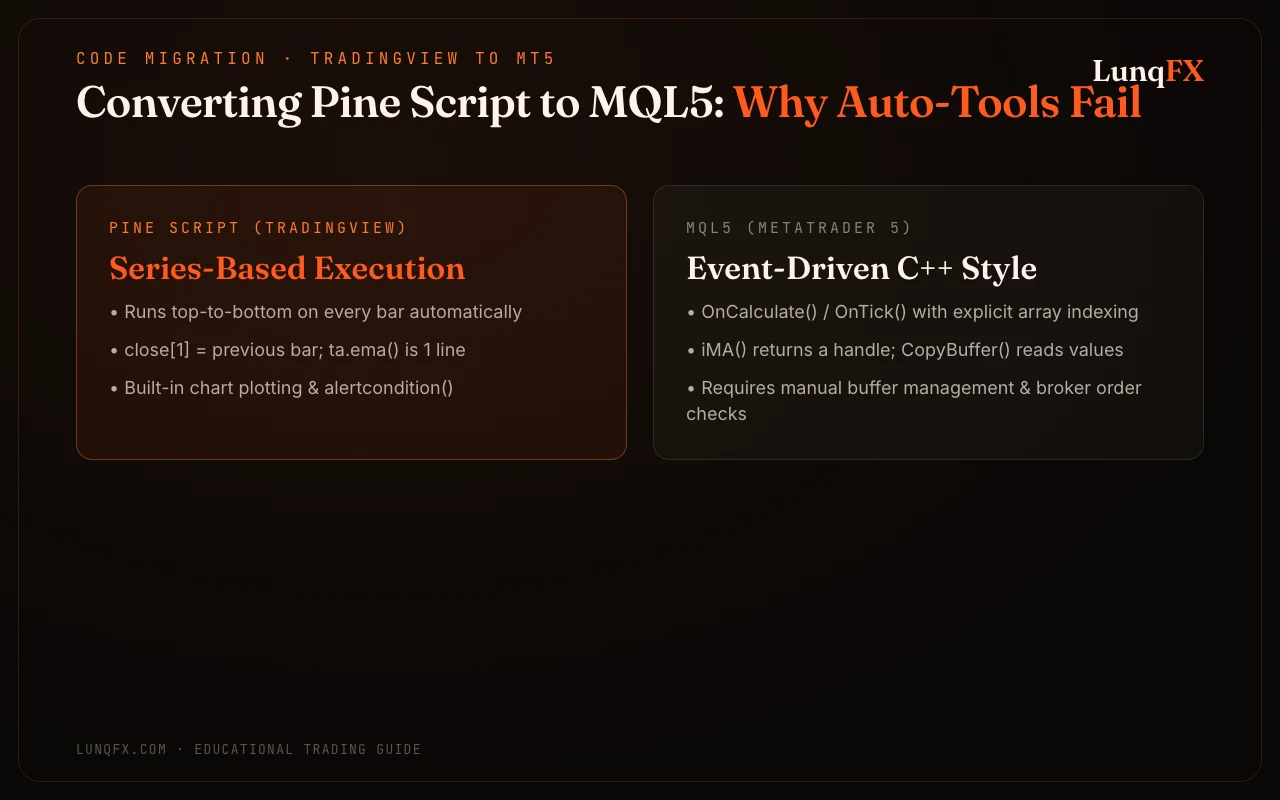
Every week, traders paste a 200-line TradingView script into an automated "Pine Script to MQL5 converter" or an LLM prompt, hit compile in MetaEditor, and get 47 syntax errors — or worse, a script that compiles cleanly and prints completely different signals from the TradingView chart. Knowing how to convert Pine Script to MQL5 reliably starts with accepting one uncomfortable truth: these are not two dialects of the same language. They run on fundamentally different execution models.
Pine Script is a declarative, series-based scripting language executed bar-by-bar on TradingView's cloud servers. MQL5 is an event-driven, C++-like compiled language running locally on your MetaTrader 5 terminal, where you manually manage memory buffers, indicator handles, and array direction. Below is why 1:1 auto-converters break, the exact architectural differences (close[1] vs CopyClose, ta.ema vs iMA handles), and when you should skip rewriting altogether in favour of a webhook bridge.
Why 1:1 Auto-Converters Fail Almost Every Time
Automated converters treat translation like swapping vocabulary words. That works for simple arithmetic (a = b + c), and fails everywhere else because the underlying runtime assumptions are opposite:
Execution model: Pine Script automatically runs your entire script once per historical bar from left to right, then updates on every real-time tick for the active bar. MQL5 separates initialisation (OnInit()), per-tick calculation (OnCalculate() for indicators or OnTick() for Expert Advisors), and cleanup (OnDeinit()).
Implicit state vs explicit buffers: In Pine, writing var int count = 0 preserves state across bars effortlessly. In MQL5, an indicator must pre-allocate dynamic arrays (SetIndexBuffer), manage prev_calculated so it does not recalculate 50,000 bars on every tick, and explicitly handle incomplete data returns (-1 or 0 from copy functions).
Repainting and multi-timeframe traps: Pine's request.security() handles higher-timeframe alignment with built-in lookahead parameters. A naive converter has no clean way to translate non-standard request.security() calls into MQL5's asynchronous CopyRates() or iClose() calls without introducing subtle forward-looking bugs or blank bars when the higher timeframe has not yet synchronised.
If you are still deciding between platforms before porting a whole toolkit, our MT4 vs MT5 indicator guide outlines why MT5's architecture is worth learning despite the steeper coding curve.
Architectural Differences: Pine Script vs MQL5 Side by Side
| Concept | Pine Script (v5/v6) | MQL5 (MetaTrader 5) | Common Conversion Bug |
|---|---|---|---|
| Bar indexing | close[1] is previous closed bar | close[0] (default) is oldest bar unless ArraySetAsSeries(..., true) | Reversed signals or off-by-one bar lag |
| Price access | Built-in open, high, low, close series | CopyClose(), CopyHigh(), or OnCalculate arrays | Missing ArraySetAsSeries check |
| Indicators | ta.ema(close, 20) returns series directly | int handle = iMA(...) in OnInit(), then CopyBuffer() | Calling iMA() inside OnTick() (memory leak) |
| Multi-timeframe | request.security(syminfo.tickerid, "60", close) | iClose(_Symbol, PERIOD_H1, shift) or CopyBuffer on H1 handle | Asynchronous history not yet downloaded |
| Order execution | strategy.entry() (backtest/alert only) | CTrade class (trade.Buy()) with broker filling modes | Order rejected due to ORDER_FILLING_FOK mismatch |
Bar Indexing: close[1] vs CopyClose
This is the number-one reason converted indicators plot garbage or trade one bar late.
In Pine Script, index [0] is always the current forming bar, [1] is the most recently closed bar, and [10] is ten bars ago.
In MQL5, arrays are non-series by default (oldest bar at index 0, newest bar at rates_total - 1). However, inside OnCalculate(), the built-in close[] array also defaults to oldest-first unless you explicitly flip it with ArraySetAsSeries(close, true).
When you fetch prices manually in an MQL5 EA using CopyClose():
double closeArr[];
ArraySetAsSeries(closeArr, true); // Critical: index 0 = current bar, index 1 = last closed bar
int copied = CopyClose(_Symbol, _Period, 0, 3, closeArr);
if(copied < 3) return;

double prevClose = closeArr[1]; // Now matches Pine's close[1]
Forget ArraySetAsSeries(closeArr, true) and closeArr[1] actually reads the second oldest bar in your requested slice — or if you copied 500 bars, it reads 499 bars ago. Almost every broken auto-converted script makes this exact mistake.
Indicator Handles: ta.ema vs iMA and CopyBuffer
In Pine Script, calculating an EMA on the fly is a single inline expression:
emaFast = ta.ema(close, 20)
crossUp = ta.crossover(close, emaFast)
In MQL5, you never create an indicator inside OnTick() or OnCalculate(). Calling iMA() on every tick spawns thousands of internal handles and crashes the terminal. Instead, you create the handle once in OnInit(), read its values via CopyBuffer() during execution, and release it in OnDeinit():
int emaHandle = INVALID_HANDLE;

int OnInit()
{
   emaHandle = iMA(_Symbol, _Period, 20, 0, MODE_EMA, PRICE_CLOSE);
   if(emaHandle == INVALID_HANDLE) return INIT_FAILED;
   return INIT_SUCCEEDED;
}

void OnTick()
{
   double emaBuf[];
   ArraySetAsSeries(emaBuf, true);
   if(CopyBuffer(emaHandle, 0, 0, 3, emaBuf) < 3) return;

   // emaBuf[1] is the 20 EMA on the last closed bar
}

void OnDeinit(const int reason)
{
   if(emaHandle != INVALID_HANDLE) IndicatorRelease(emaHandle);
}
That three-step lifecycle (iMA → CopyBuffer → IndicatorRelease) applies to RSI (iRSI), ATR (iATR), MACD (iMACD), and custom indicators (iCustom). Once you internalise this pattern, 80% of MQL5 translation errors disappear.
Should You Convert Pine Script to MQL5 or Use a Webhook Bridge?
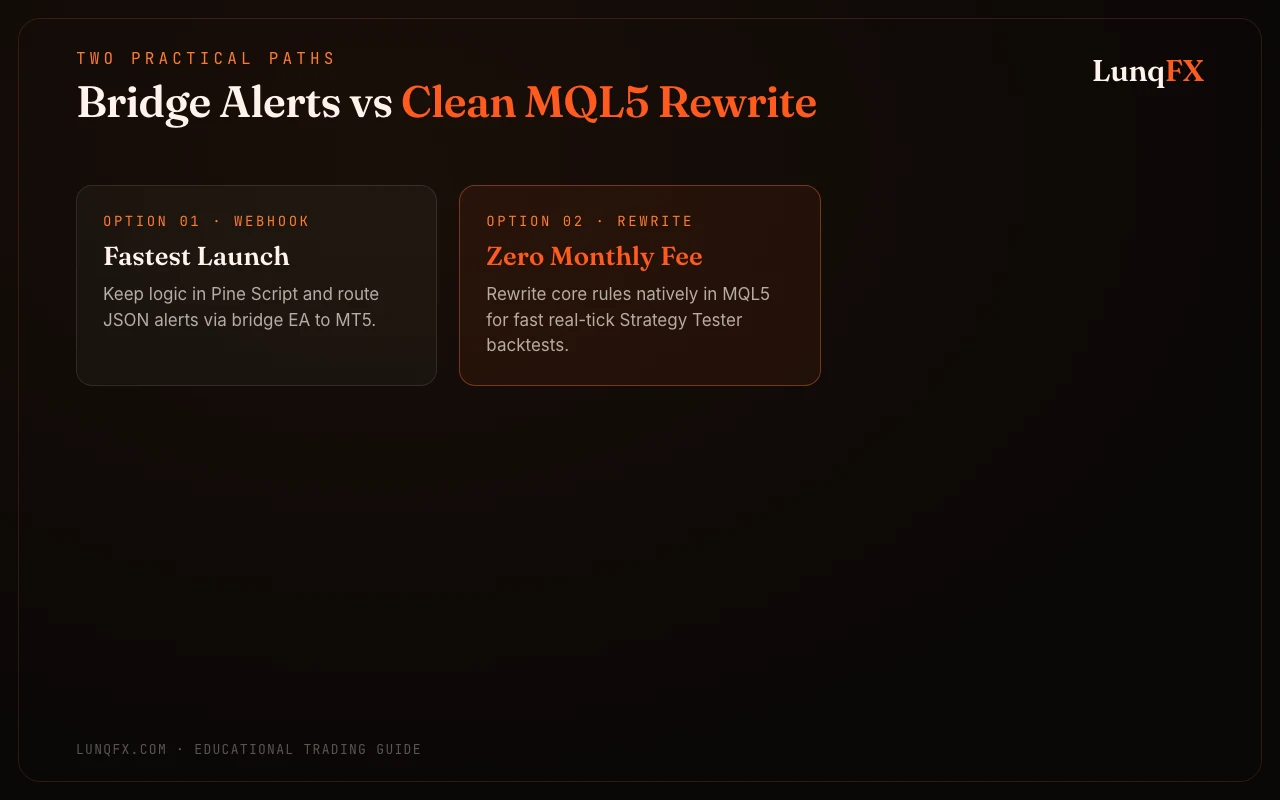
Before spending ten hours rewriting indicator code, ask whether you actually need native .mq5 code. There are two legitimate paths:
Option 1: TradingView Webhook Bridge (Fastest for Alert-Based Systems)
If your Pine Script indicator already generates clean alertcondition() or strategy signals, and you simply want MetaTrader 5 to open and close orders automatically, you do not need to rewrite the maths in MQL5 at all. A webhook server receives TradingView JSON alerts and forwards execution commands to an MT5 EA listener.
Best for: Complex proprietary Pine scripts (visual heatmaps, multi-oscillator composites, custom session tools) where rewriting would introduce bugs, or strategies trading on H1/H4 where 300–800 ms of webhook latency is irrelevant. See our step-by-step TradingView alerts to MT5 webhook guide for setup details and security rules.
Option 2: Clean MQL5 Rewrite (Mandatory for Native Speed and Backtesting)
If you scalp on M1–M5, need tick-accurate Strategy Tester optimisation in MT5, or want an indicator/EA that runs locally on a VPS without relying on TradingView's alert quota or third-party webhook uptime, a clean MQL5 rewrite is the only proper solution.
How to approach a clean rewrite:
- Document the exact rules first: Strip out Pine visual fluff (
plotshape, colours, tables) and write down the pure mathematical conditions. If you built the script yourself, review our Pine Script guide to isolate core logic from display code. - Verify bar-by-bar parity: Plot both charts side by side on the same broker feed (or closest CFD symbol) and compare the exact numeric values of
emaBuf[1]vsta.ema[1]on 20 random historical candles before trusting any trade signal. - Add MT5 execution hygiene: Real MQL5 EAs need spread filters, filling-mode checks, magic numbers, and error logging. If your newly compiled EA loads onto a chart and refuses to place trades, check our MT5 EA not trading troubleshooting guide and how to install an EA in MT5.
If you would rather skip weeks of debugging MQL5 buffer shifts and broker filling errors altogether, LunqFX Premium provides production-tested, non-repainting indicators and automated systems already engineered natively for MetaTrader — complete with verified execution logic out of the box.
FAQ
Is there a reliable free Pine Script to MQL5 converter? No automated tool converts non-trivial Pine Script into bug-free MQL5 reliably. Simple moving-average crossovers can be roughly translated, but anything using request.security(), var state variables, or custom arrays usually requires manual debugging of ArraySetAsSeries and CopyBuffer calls.
Why do my converted MQL5 signals appear one bar late compared to TradingView? This is almost always an indexing mismatch between Pine's close[1] and MQL5's default array direction, or reading index [0] (forming bar) on one platform and [1] (closed bar) on the other. Always call ArraySetAsSeries(..., true) on copied arrays in MQL5.
Can I convert a TradingView invite-only script to MQL5? Only if you have access to the source code or know its exact mathematical rules. Invite-only scripts on TradingView have hidden source code, so they cannot be read or translated directly — though you can still automate their alerts via webhooks if the author enables alert triggers.
Is MQL5 harder to learn than Pine Script? Yes, initially. Pine Script hides memory management, bar loops, and order routing, whereas MQL5 requires C++-style types, indicator handles, and explicit error handling. The payoff is full local backtesting, sub-millisecond execution, and zero cloud dependency.
When is a webhook better than converting to MQL5? Use a webhook bridge when your strategy trades higher timeframes (M15–D1), relies on complex TradingView-only data, and does not require MT5 tick-by-tick Strategy Tester optimisation. Rewrite in MQL5 when you need low-latency scalping or standalone VPS reliability.